> ## Documentation Index
> Fetch the complete documentation index at: https://docs.shipmobilefast.com/llms.txt
> Use this file to discover all available pages before exploring further.
# Environment Setup
> Set up your development environment for React Native and Expo
## Prerequisites
* Node.js 18 or newer
* Git
* Expo CLI
* iOS Simulator (for Mac users) or Android Studio
## Quick Start
First, go to the [Expo Environment Setup](https://docs.expo.dev/get-started/set-up-your-environment/) and follow the steps to set up your environment.
Make sure you have the latest version of Node.js, Git, and Expo CLI.
You can not use `Expo Go`. Because we are using some features that are not supported by `Expo Go`.
You should pick `Expo Development Build` section.
EAS CLI is a tool that allows you to build and run your app on different platforms. (Its paid but no worries. We will use it for free.)
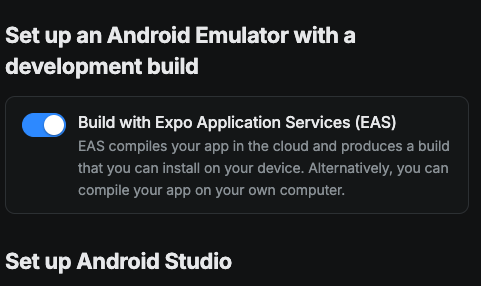 Click on the switch button to disable the EAS CLI. Then you need to make sure you have done all the steps correctly. For IOS and Android.
## It should look like this:
Click on the switch button to disable the EAS CLI. Then you need to make sure you have done all the steps correctly. For IOS and Android.
## It should look like this:
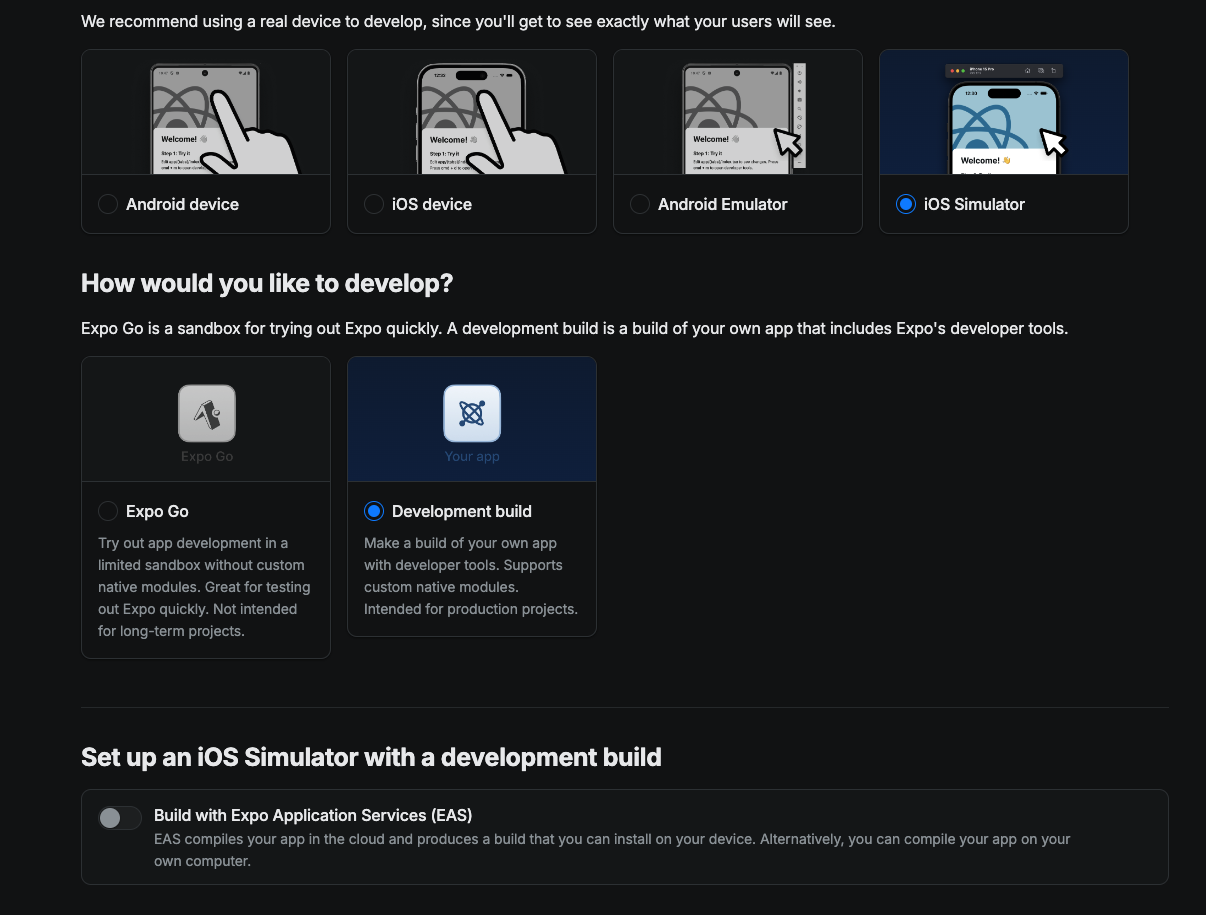 And you need to finish the steps for IOS Simulator and Android Emulator.
## Quick Start
Let's get you started
Let's get you started
And you need to finish the steps for IOS Simulator and Android Emulator.
## Quick Start
Let's get you started
Let's get you started